
Easy Guide to Withdraw Money from 999XA Game?
Withdrawing money from 999XA Game allows eligible users to transfer available funds from their gaming account to a supported payment method. The withdrawal process is usually easy when your account details are correct and you follow the instructions shown on the platform.
Before requesting a withdrawal, make sure your account meets the current withdrawal requirements. Payment methods, minimum amounts, processing times, and other conditions can change, so always check the information displayed in your 999XA account before submitting a request.
Things to Check Before Withdrawal
A few basic checks can help prevent problems during the withdrawal process:
- Make sure your 999XA account is registered and accessible.
- Check your available account balance.
- Review the current minimum withdrawal amount.
- Confirm that your preferred payment method is supported.
- Make sure your payment account details are correct.
- Complete any required account verification.
- Check the current withdrawal rules.
- Keep your transaction details after submitting the request.
Do not request a withdrawal using another person’s payment account unless the platform specifically allows it.
How to Withdraw Money from 999XA Game?
01. Sign In to Your Account
Open the official 999XA website or application and log in with your registered account details. Make sure you are accessing the correct account before starting the withdrawal process.
02. Open the Withdrawal Section
After logging in, go to your account or wallet area and find the Withdraw or Withdrawal option. Tap it to view the available withdrawal methods and requirements.
03. Choose a Payment Method
Select a payment method that is currently supported by 999XA. The available options can change, so use the payment methods displayed inside your account instead of relying on old information from other websites.
04. Enter the Withdrawal Amount
Enter the amount you want to withdraw. Check the minimum and maximum limits shown on the withdrawal page before submitting the request.
Only request an amount that is available in your account balance and meets the platform’s current requirements.
05. Add or Confirm Payment Details
Enter your required payment information carefully. Depending on the selected method, you may need to provide a mobile number, account number, or other details.
Double-check every number before continuing because incorrect information can delay or prevent a successful transfer.
06. Complete Verification
999XA may require account or transaction verification before processing a withdrawal. Follow the instructions shown on the official platform and complete any required verification step.
Never give your password, PIN, or OTP to another person.
07. Submit the Withdrawal Request
Once all information has been checked, select the Withdraw or Submit button. Your request will then be sent for processing according to the platform’s current procedure.
Avoid submitting multiple requests for the same amount unless the platform instructs you to do so.
08. Check the Withdrawal Status
After submitting your request, check your account or transaction history for the current status. Depending on the payment method, processing may take some time.
Keep your withdrawal reference or transaction details until the payment has been received.
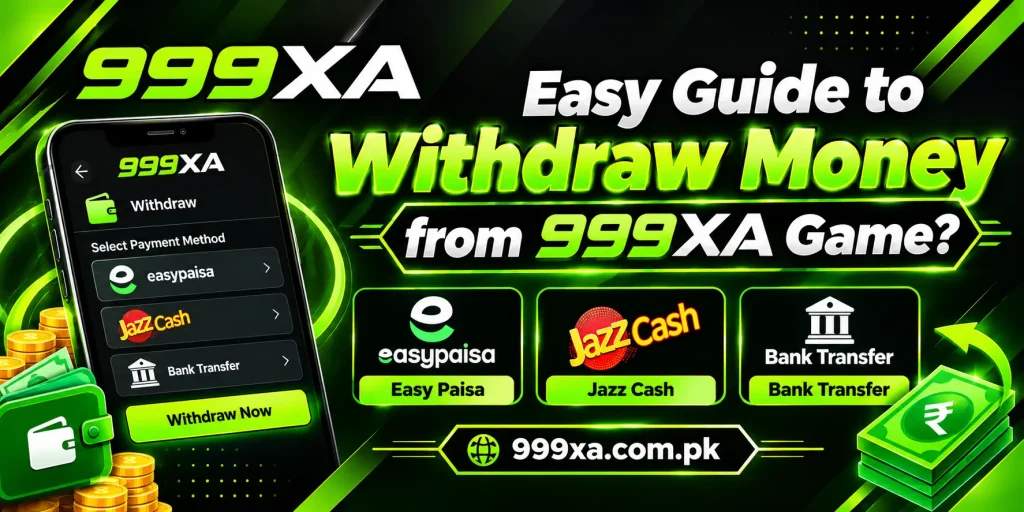
Withdrawal Methods for Pakistani Users
The payment methods available to 999XA users can change depending on the current platform and payment system. You may see different local payment options when you open the withdrawal section.
Always use the payment methods currently shown in your own account. Do not send your account information to people offering to process withdrawals through unofficial channels.
Common 999XA Withdrawal Problems
A withdrawal may sometimes remain pending or fail to process. Here are some common situations you may experience.
Withdrawal Is Pending
A pending withdrawal means the request has not been completed yet. Processing time can depend on the platform and payment method. Check the transaction status and wait for the stated processing period before taking further action.
Withdrawal Was Rejected
A withdrawal can be rejected if the account does not meet a current requirement, the amount is outside the allowed limit, or the payment details are incorrect. Check the reason shown by the platform and correct the issue if possible.
Money Has Not Been Received
If your withdrawal shows as completed but the money has not reached your payment account, check the payment details and transaction status. Keep your reference number and contact the appropriate support channel if the issue continues.
Incorrect Account Details
Entering the wrong payment number or account information can cause a withdrawal problem. Always review the details carefully before submitting your request.
If you notice an error after submitting the request, contact the relevant support channel instead of submitting repeated requests.
Minimum Withdrawal Not Met
If the system does not accept your request, check the minimum withdrawal amount displayed on the platform. Increase the requested amount only if you have sufficient available balance and understand the applicable conditions.
How to Check Your Withdrawal History
You may be able to check previous withdrawal requests through the Transaction History, Withdrawal History, or wallet section of your account.
The available information can include the requested amount, date, payment method, transaction status, and reference number. Keeping these details can be helpful if you need to ask about a delayed transaction.
Tips for a Smooth Withdrawal
Follow these simple practices when requesting a withdrawal:
- Use your own verified account information where required.
- Check your balance before submitting a request.
- Carefully enter your payment details.
- Review the minimum and maximum withdrawal limits.
- Use only payment methods displayed by the official platform.
- Keep your transaction reference number.
- Never share your password, PIN, or OTP.
- Avoid using unofficial agents or third-party withdrawal services.
Important Information About Withdrawals
A withdrawal request does not always mean that money will be transferred immediately. Processing times can vary based on account checks, payment providers, and the current rules of the platform.
Users should also understand that gaming does not guarantee profits. Before depositing or playing with real money, consider the possible risks and only use funds you can afford to lose.
Conclusion
The 999XA Game withdrawal process can be completed by opening your account, going to the withdrawal section, selecting a supported payment method, entering the required information, and submitting the request. Before confirming anything, carefully check your withdrawal amount and payment details.
If your request remains pending or the money does not arrive, check the transaction status and keep your reference number. Avoid making repeated requests without checking the original transaction first. For better account security, never share your password, PIN, or OTP with anyone. Always follow the current withdrawal rules displayed by the official 999XA platform.
Frequently Asked Questions
How do I withdraw money from 999XA Game?
Log in to your 999XA account and open the Withdrawal section. Choose a currently supported payment method, enter the required details and withdrawal amount, complete any verification steps, and submit your request. Check your transaction history afterward to monitor the status.
How long does a 999XA withdrawal take?
The processing time can vary depending on the payment method, account verification, and current platform conditions. Check the withdrawal page for the latest information about processing times. If the stated period has passed, keep your transaction reference and contact support.
Why is my 999XA withdrawal pending?
A withdrawal can remain pending while the platform processes the request or completes required checks. Review the transaction status and wait for the stated processing period. Avoid submitting another request for the same amount until you know what happened to the original request.
What should I do if my withdrawal is rejected?
Check the reason given for the rejected request. Common causes can include incorrect payment details, an amount outside the allowed limit, or an account requirement that has not been completed. Correct the issue if possible and follow the platform’s current withdrawal instructions.
Can I withdraw money to someone else’s account?
Whether a third-party payment account is allowed depends on the platform’s current rules. Using your own verified payment information is generally the safer approach. Check the applicable withdrawal conditions before entering another person’s payment details.
What if I enter the wrong payment number?
If you notice an incorrect payment number before submitting the request, correct it immediately. If the request has already been submitted, check its status and contact the relevant support channel as soon as possible. Keep your transaction reference available.
Is there a minimum withdrawal amount on 999XA?
The platform may set a minimum withdrawal amount, and this limit can change. Check the current Withdrawal section of your account before submitting a request. If your available balance is below the required minimum, the system may not accept the request.
Should I keep my withdrawal transaction ID?
Yes. Keeping the transaction ID or reference number is useful if your withdrawal is delayed, rejected, or not received. It gives you a specific record that can be provided to the relevant support team when asking about the transaction.